
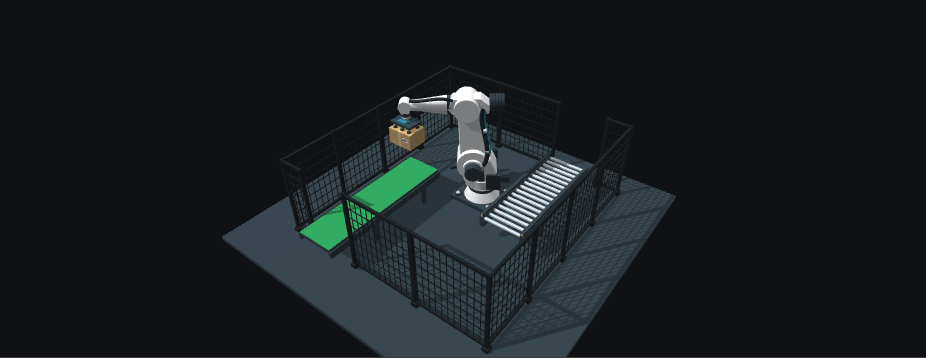
Open the interactive robot and try Place before picking up a carton. The command is unavailable: placement requires a stationary robot holding the carton. This is the distinction between a button being visible and an action being valid.
One transfer, step by step
| State | What happens | Next operator action |
|---|---|---|
ready |
A carton waits on the input belt. | Pick up, run one cycle or Home. |
picking |
Approach, descend, attach and lift. | Pause/resume or reset. |
holding |
The lifted carton remains attached to the tool. | Place; Home stays disabled. |
placing |
Transfer, descend, release and withdraw. | Pause/resume or reset. |
clearing |
The roller outfeed removes the released carton. | Wait, pause or reset. |
feeding |
The next carton reaches the pickup point. | Wait, pause or reset. |
homing |
The empty robot returns to the initial TCP. | Pause/resume or reset. |
In manual mode, pickup stops at holding. Placement continues through output clearance and input replenishment. Home is then available. Run cycle combines these steps and ends at Home after one transfer; it is not continuous production.
Read the state, not only the animation
The browser simulator tracks phase, box, paused, transferred and tcp. box distinguishes input, attached and output cartons. transferred increases after the output carton clears the scene, not at the instant the gripper releases it. Reset restores the initial carton and resets this session counter.
Every action is checked against the current state. While paused, pickup, placement and Home remain disabled; resume preserves the unfinished step. Camera controls do not change sequence state.
Compare the reference data
The downloadable reference contains bilingual instructions and JSON/CSV observations generated directly from this simulator. Inspect the allowedCommands array in the initial, holding and paused snapshots. The IDs stay identical in English and Spanish; only the interface labels change.
Before using this pattern on equipment
These command guards explain a browser sequence; they are not safety interlocks. A real application needs controller-owned state, validated feedback, vacuum confirmation, output occupancy, recovery behavior, calibrated frames and a machine-specific safety assessment. None of these are validated by this demo. The illustrated paths, durations and perimeter must not be treated as commissioned robot logic or certified guarding.
