
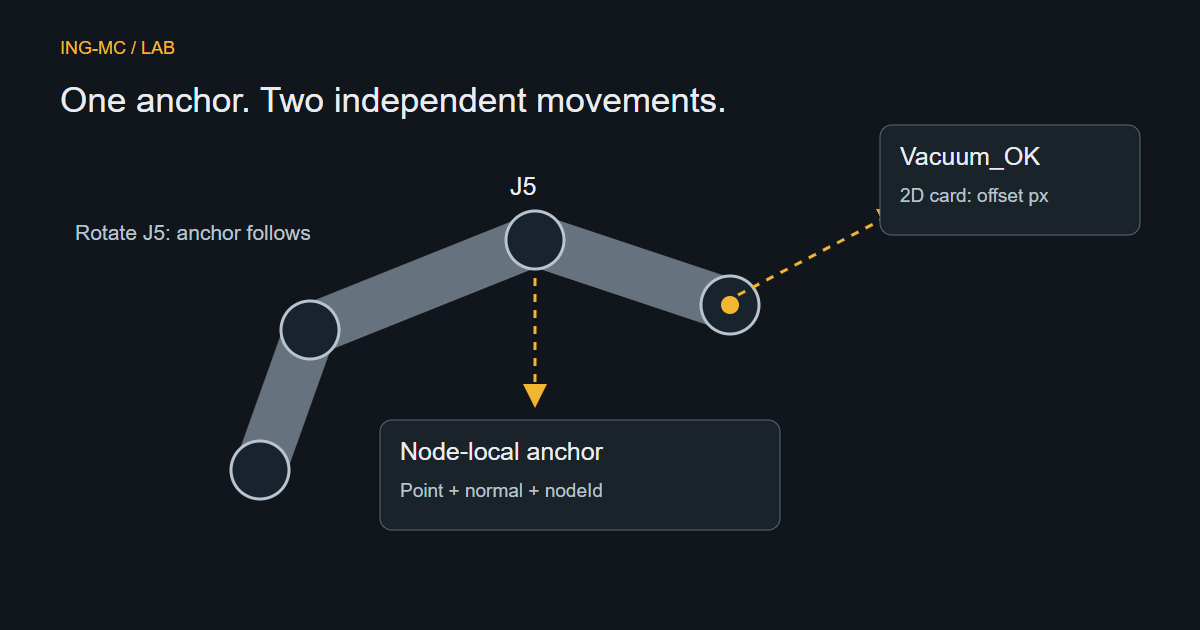
A label can look attached to the robot at Home and drift away as J5 rotates. The usual cause is an anchor saved in world coordinates instead of the moving node’s local frame. Solve the coordinate contract before improving the label’s appearance.
Store three distinct things
Industrial 3D Studio associates an annotation with a scene object and a semantic node. The anchor stores a local point and local normal; the label stores its independent screen offset. Display state belongs to a separate data channel, not the anchor geometry.
An illustrative shape is:
type SurfaceAnnotation = {
  objectId: string;
  node: string; // for example J5, ToolMount or TCP
  localPositionMm: [number, number, number];
  localNormal: [number, number, number];
  cardOffsetPx: [number, number];
};
This excerpt explains the roles, not the complete persisted Studio schema. Use the actual asset/version contract for valid semantic names. Two instances of the same robot must retain distinct object IDs even though both contain a node called J5.
From drag-and-drop to a local anchor
Dragging an annotation template onto a surface creates a camera ray through the pointer position. Raycasting returns the intersected mesh and world-space hit point. Resolve the scene instance and the reviewed semantic node controlling that surface; do not always parent the hit to RobotRoot.
After updating world matrices, convert the point with semanticNode.worldToLocal(hit.point.clone()). Studio’s renderer works in metres and persists scene positions in millimetres, so conversion happens once at the boundary. Applying it twice produces a thousand-fold placement error.
Three.js Raycaster and Object3D document intersection and coordinate-conversion behavior. Restrict picking to intended asset surfaces; helper grids, selection boxes and labels should not accidentally become attachment targets.
Normals require their own transformation
A normal is not a point. Transform a mesh-local face normal to world space with the mesh’s normal matrix. To express that world normal in the semantic node’s local frame, use the inverse normal transformation: the transpose of the node’s world linear transform, followed by normalization. Do not call worldToLocal() on a normal, because translation must not affect it.
The current Studio adapter follows this path, including authored non-uniform scaling. Update matrices before conversion and before projecting an articulated anchor; stale matrices can make correct formulas produce incorrect positions.
Two drags, two responsibilities
Re-picking the 3D marker changes the surface attachment and may change its semantic node. Dragging the 2D card changes only the pixel offset. It must not change the local point. Recompute the leader line from the current projected anchor to the card’s current edge.
For every relevant pose or camera update, transform the local anchor through the node’s current world matrix, project it through the camera and convert normalized coordinates to the canvas rectangle. Account for the canvas’s screen offset and size. A node-linked anchor then follows J5 even when the entire robot also moves in the work area.
Keep ownership visible and test the motion
The Scene Tree groups labels under their owning object, such as RBT01 > Annotations > Vacuum_OK. Ownership is not inferred from where the card happens to sit on screen.
Test whole-object move, joint rotation, camera orbit, resize, card drag, marker re-pick and scene save/reload separately. Check that deleting the object removes its annotations and that unavailable node/version references fail visibly. The native Ignition R01 proxy runtime does not support every articulated Studio anchor; its preflight must report that incompatibility rather than silently flattening it.

